To check the levels of the Omnilock WAMS battery levels perform the following:
- Open the Configurator program (the main program)
- Click on Applications (top left of the page) and then Statistics Monitor program
- Choose the correct Segment from the drop down menu (most systems only have one)
- Click on a folder to the left
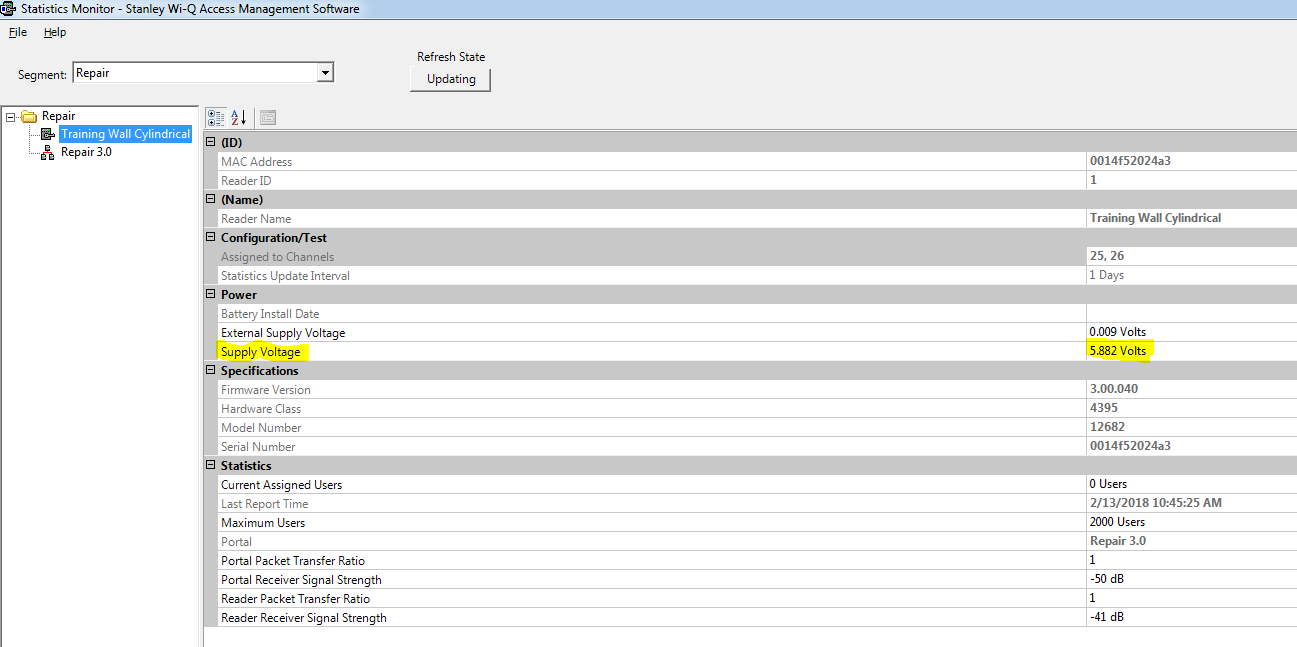
- That will bring up a graph like the one below. The Supply Voltage column shows the most recent voltage level.

- If you want more specific detail of the voltage you can double click on the reader name
- On the supply voltage row will give you the recent details. Note that around 4.8 the Omnilock will stop reliably working.
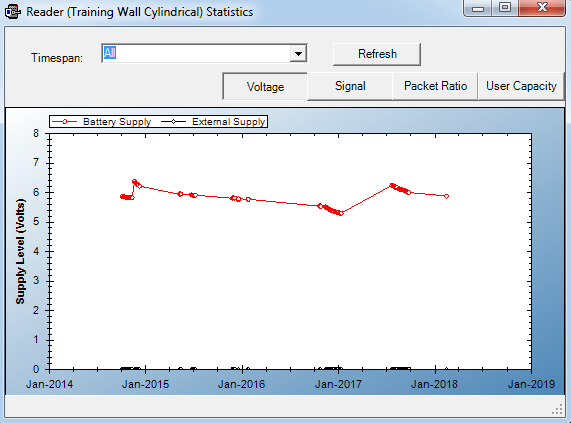
- If you want even more historical detail you can click on the Supply Voltage row and then the ellipses button all the way to the right. Which will bring up a graph similar to below.