Timezone Groups are for when you want to restrict times and days users can access readers.
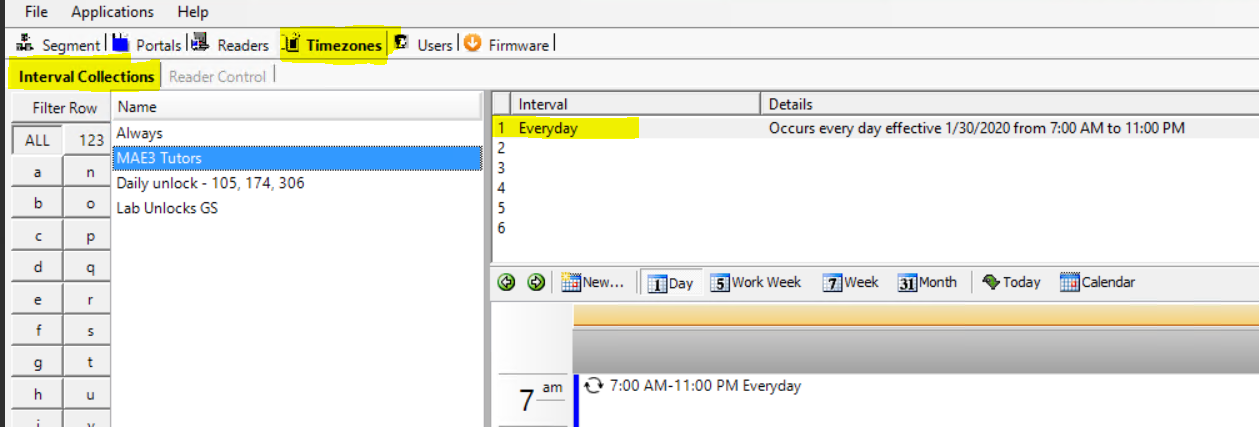
The example below would allow users to access certain doors from 7am-11pm everyday.
1. Create a special group
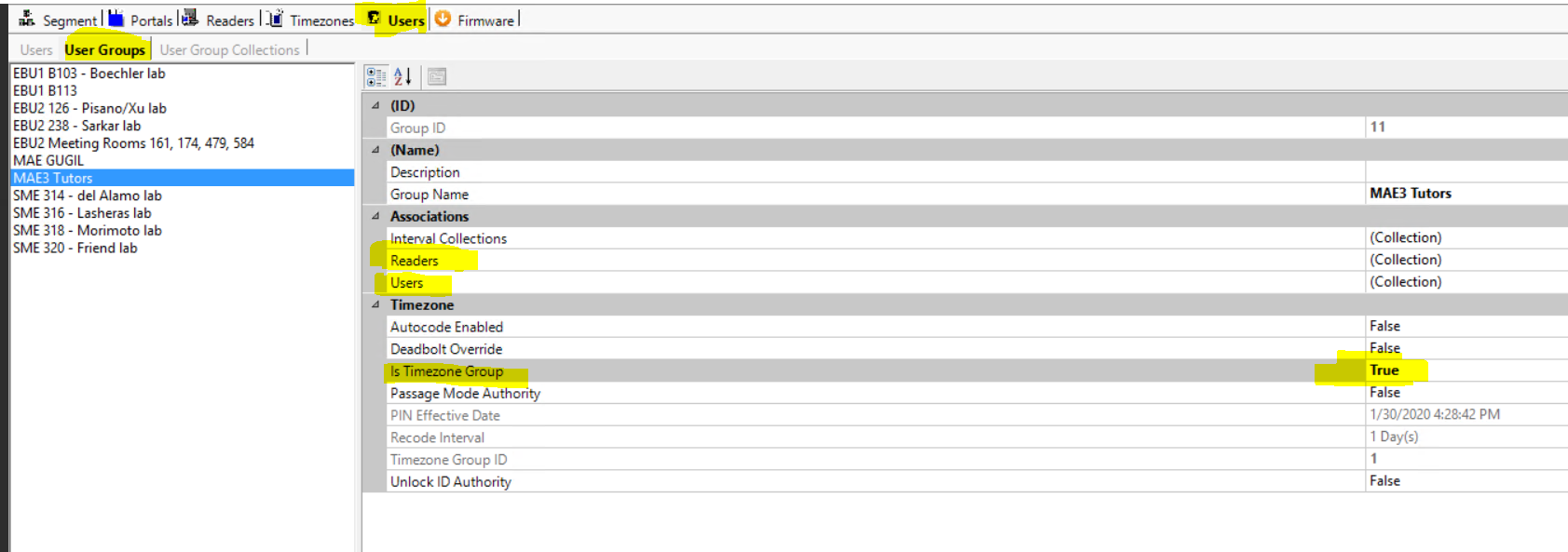
- Under the Users Tab and then User Groups subtab
- Create a User Group
- Associate the readers that you want with the group
- Associate the users that you want with the group
- Change Is Timezone Group – True
2. Create the time you want the group to be allowed access into those readers
- Under the timezone tab
- Create a new Interval Collection
- Create one or more intervals that list the times and days the group can access the readers
3. Bring the time and group together
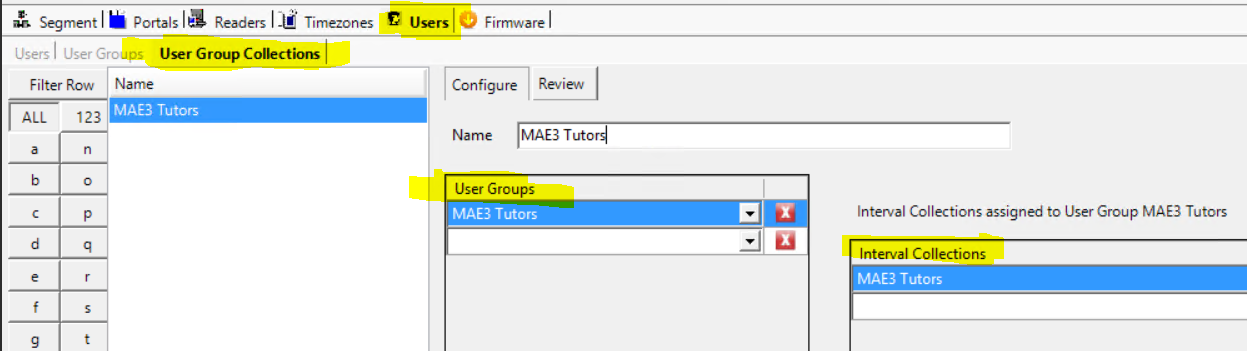
- Under the Users tab and then User Group Collections subtab
- Create a new User Group Collection
- Choose the User Group, from the drop down menu, that you created in Step 1
- Choose the Interval Collection, from the drop down menu, that you created in Step